
Know what needs attention.
Suggested items provide a starting point; the list makes current work scannable.

TRANSACTION HUB / DEALTRU
A shared workspace for the people,
documents, and decisions behind a transaction.
The design challenge
Transaction Hub, branded DealTru in these designs, brings transaction activity into a shared workspace. The interface connects progress, responsibilities, documents, and conversations so that each person can understand the work around a deal.
The business reasoning
A transaction combines participants, deadlines, checklist items, documents, and decisions. The design challenge was to keep those relationships understandable as people move between the overview, a deal room, and individual tasks.
A document is useful only when its purpose and next action are clear. Disconnected task and document context can create follow-up work, unclear ownership, and overlooked dependencies—risks that matter when several people share a deadline.
I organized the experience around a persistent deal workspace. Checklists expose status and due dates, task details connect supporting exhibits, and the working group and activity history remain part of the transaction context. Review states make the requested change and approval action explicit.
The design creates a traceable route from transaction status to the task, its evidence, and the decision it needs. Responsibilities and progress have visible places in the interface rather than relying on conversation alone. This supports clearer coordination; fewer follow-ups and shorter completion times have not been measured.
Status, dates, and activity make the current state easier to scan.
Documents and exhibits stay connected to the work they support.
Rooms, responsibility, and visibility controls give collaboration a structure.
01 / Find the work
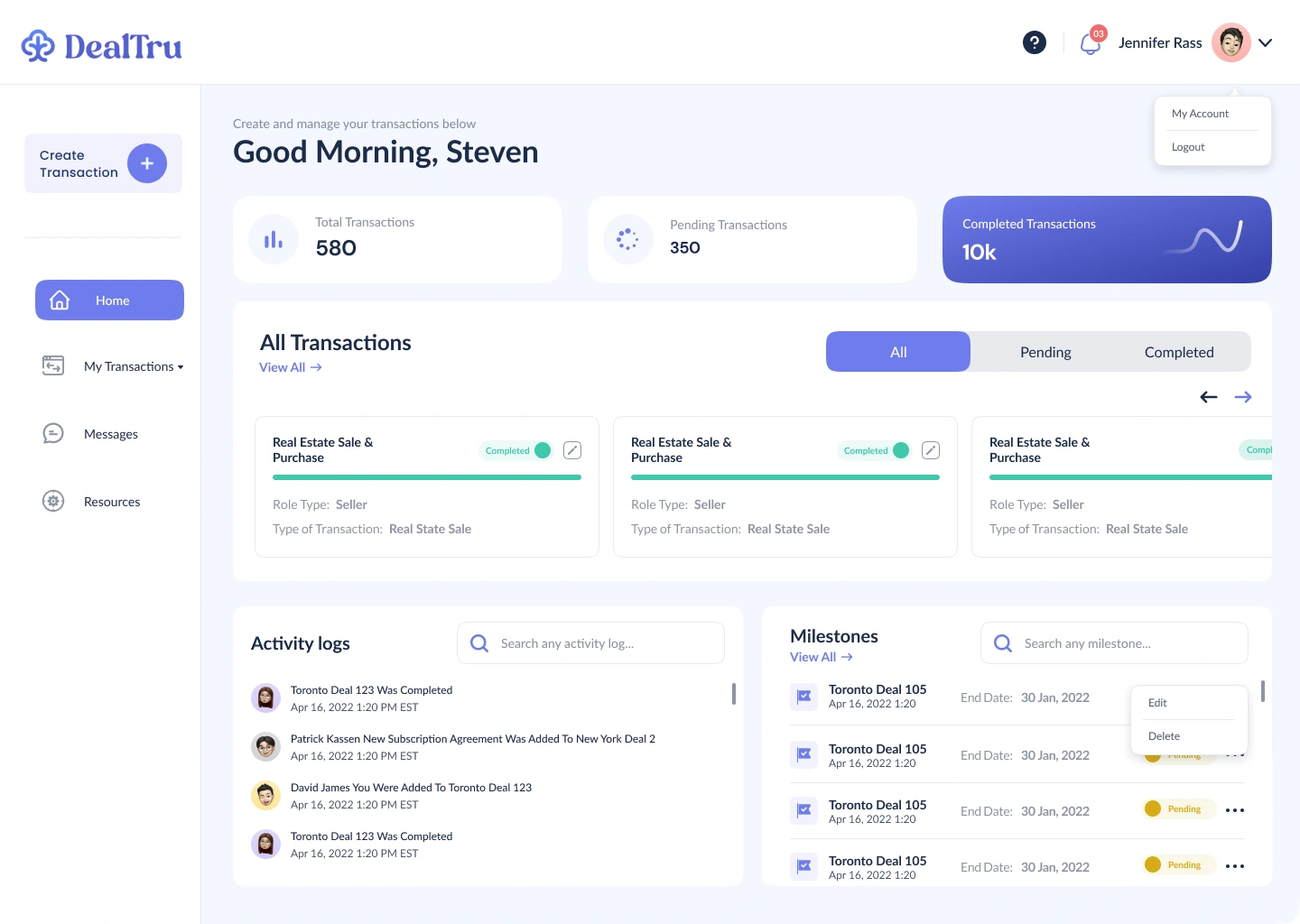
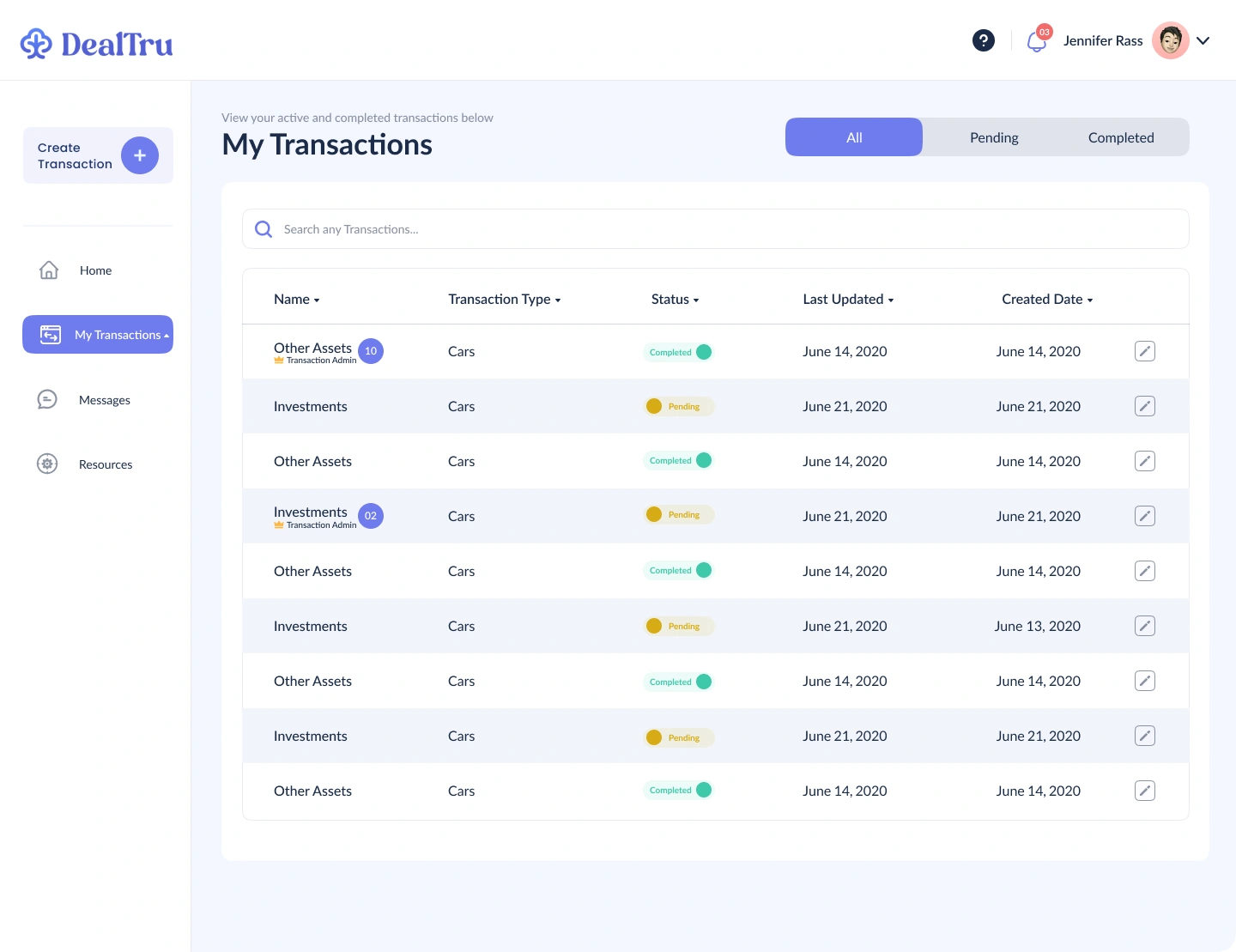
The overview summarizes the portfolio of transactions. The list adds search, status filters, transaction type, and dates when someone needs to find a specific record.
02 / Set the context
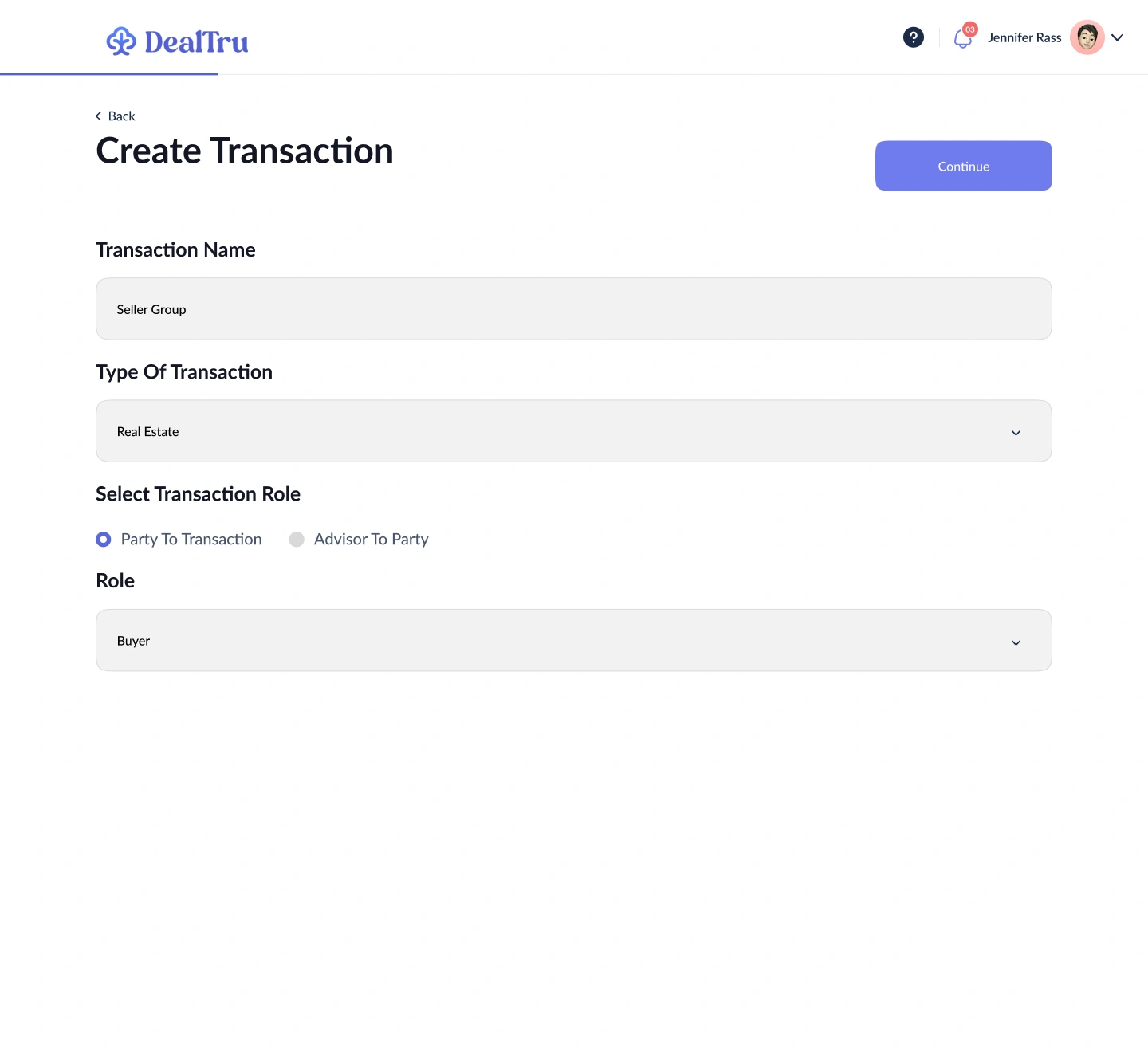
A transaction name, type, and participant role establish the context before the working space opens. The form distinguishes a party to the transaction from an advisor.
03 / The deal room
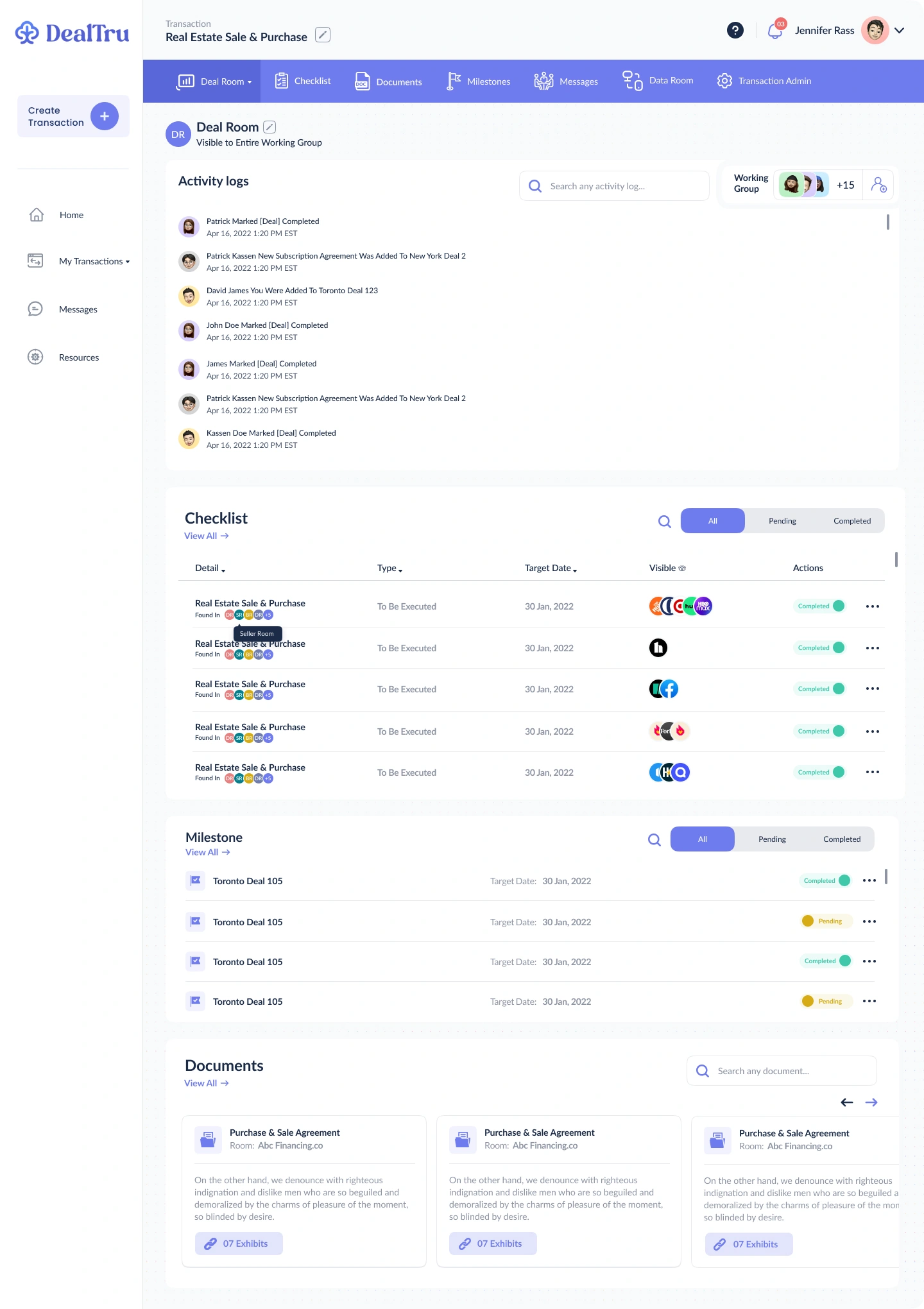
The deal room combines the working group with an activity history, checklist, milestones, and documents. Persistent transaction navigation keeps these related areas one step away while retaining the same deal context.
Activity records what changed. The working group shows who is involved. The sections below organize what happens next.
04 / Move the work forward
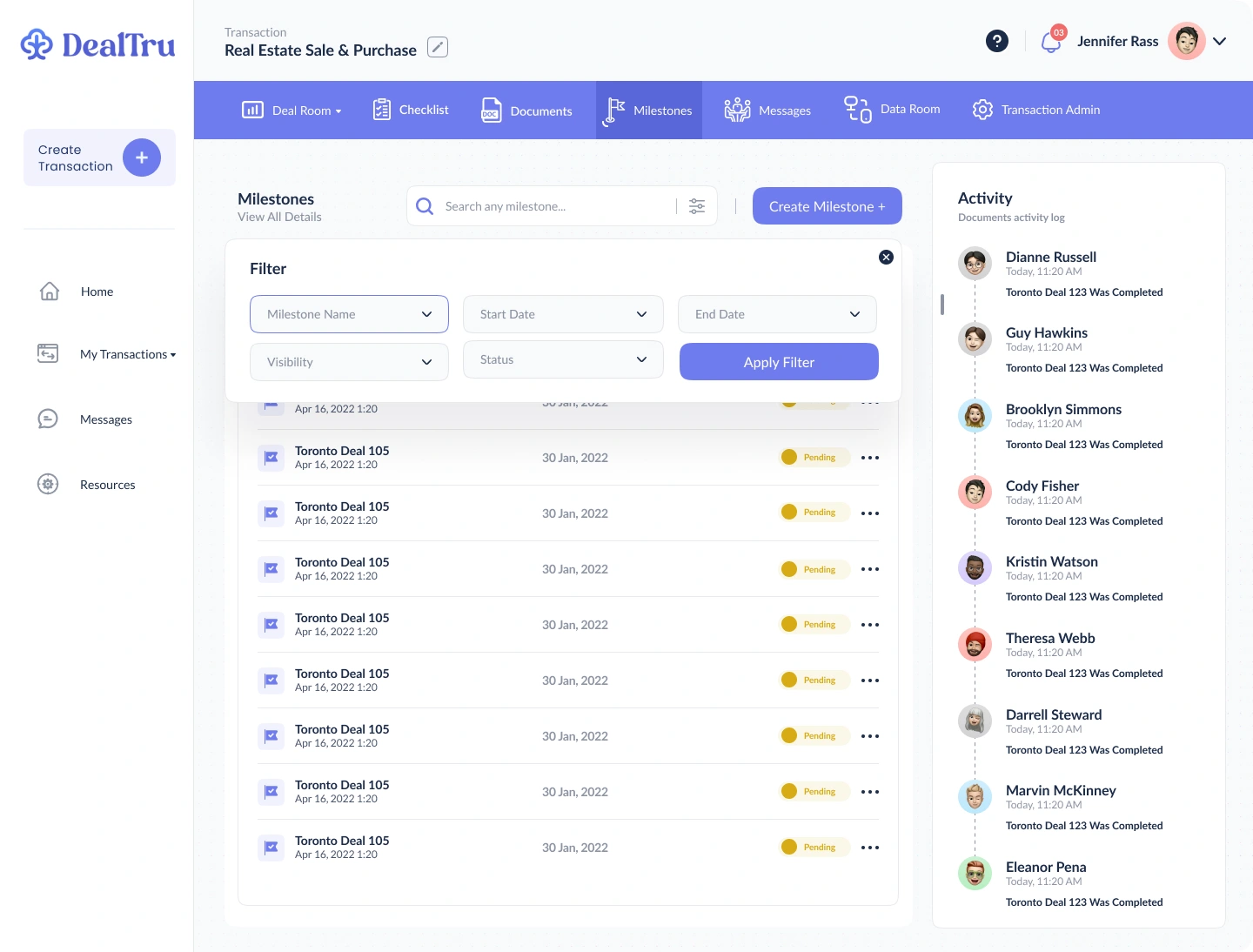
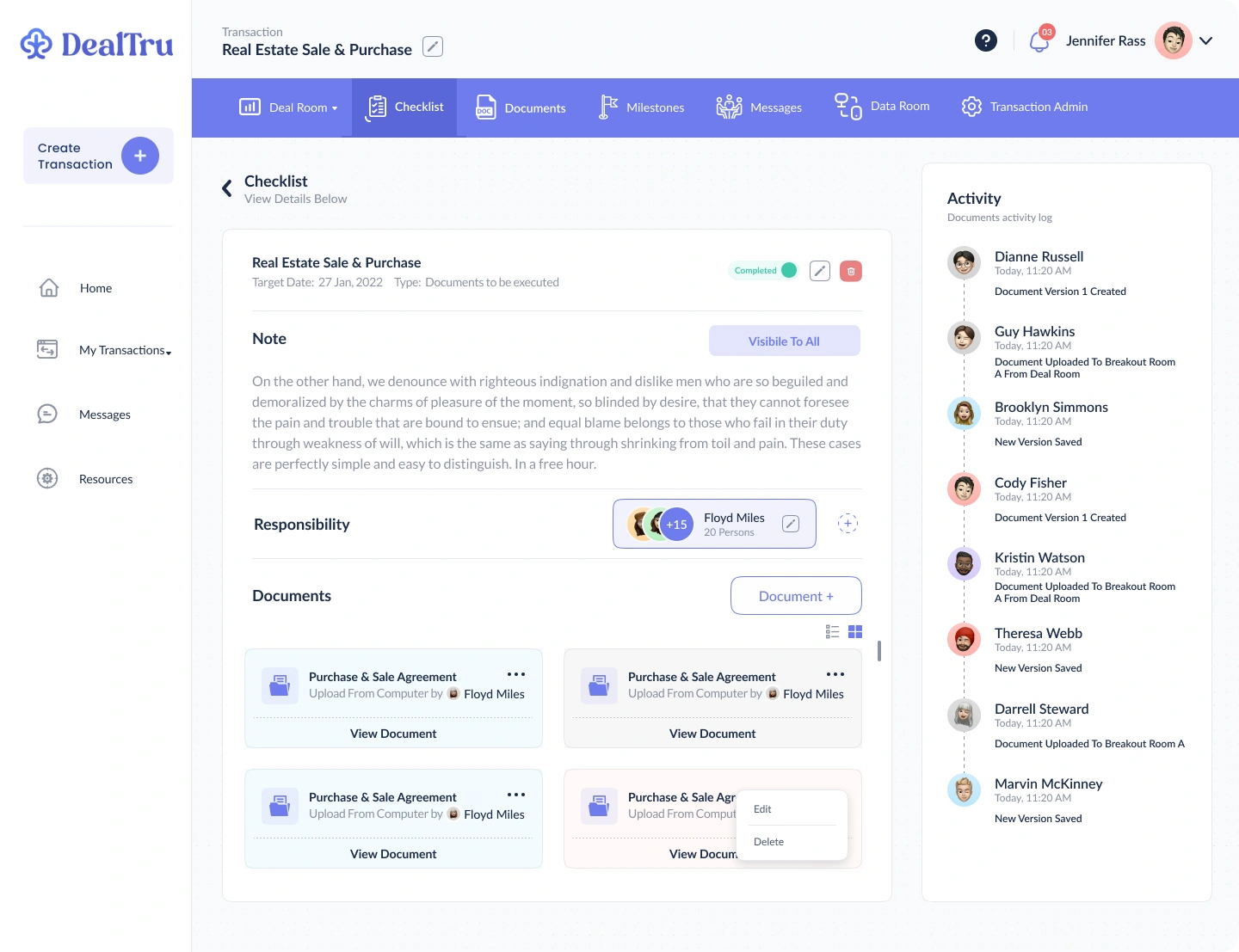
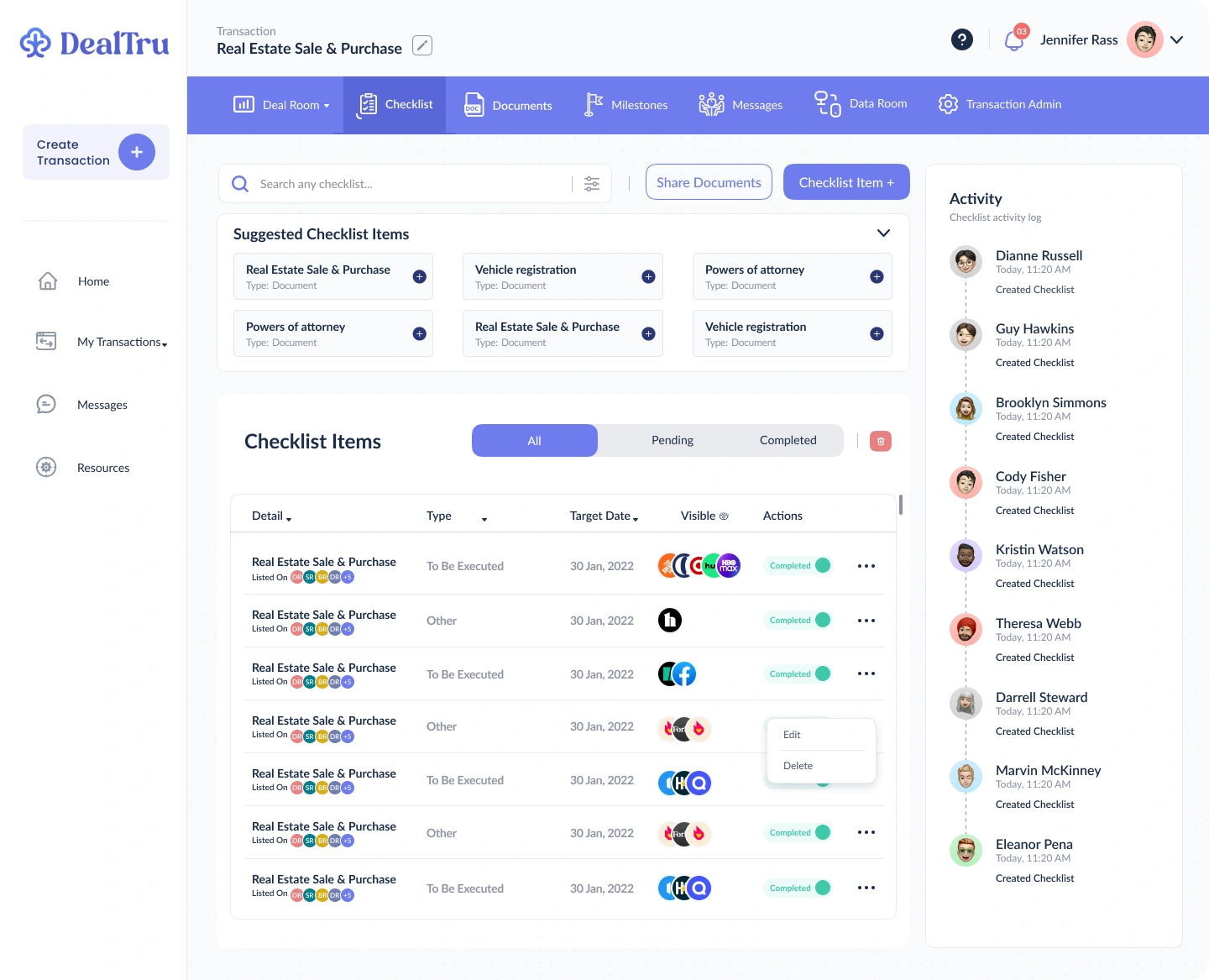
Checklists bring together the item, due date, visibility, and status. Opening an item reveals its notes, responsible people, and supporting documents. Milestone filters help narrow the next set of decisions.
Suggested items provide a starting point; the list makes current work scannable.
Focused filters bring the appropriate milestones into view.
Inside an item
The detail view keeps notes, assigned people, and documents together. It connects an action to the people and information needed to complete it.
05 / Documents & data rooms
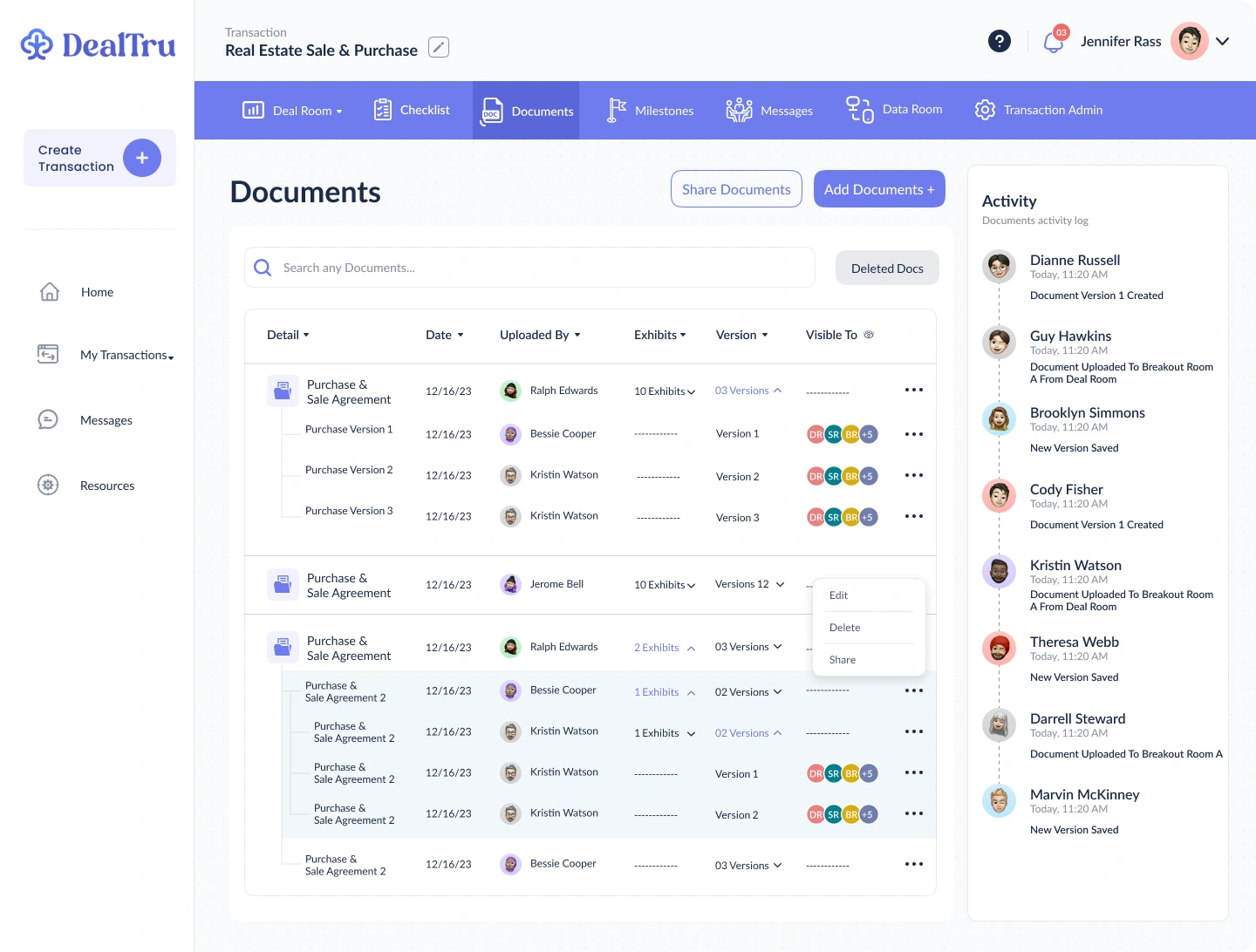
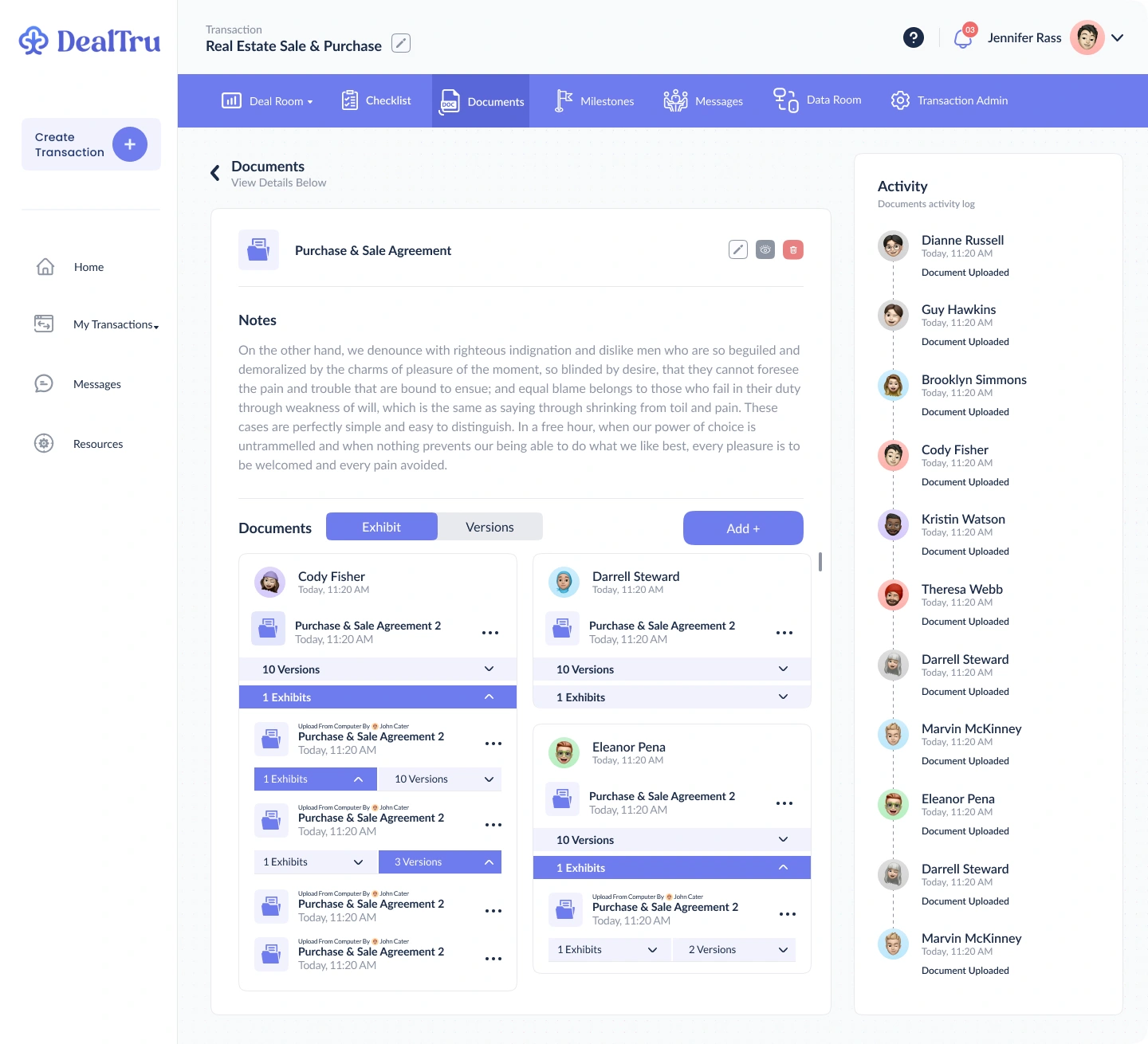
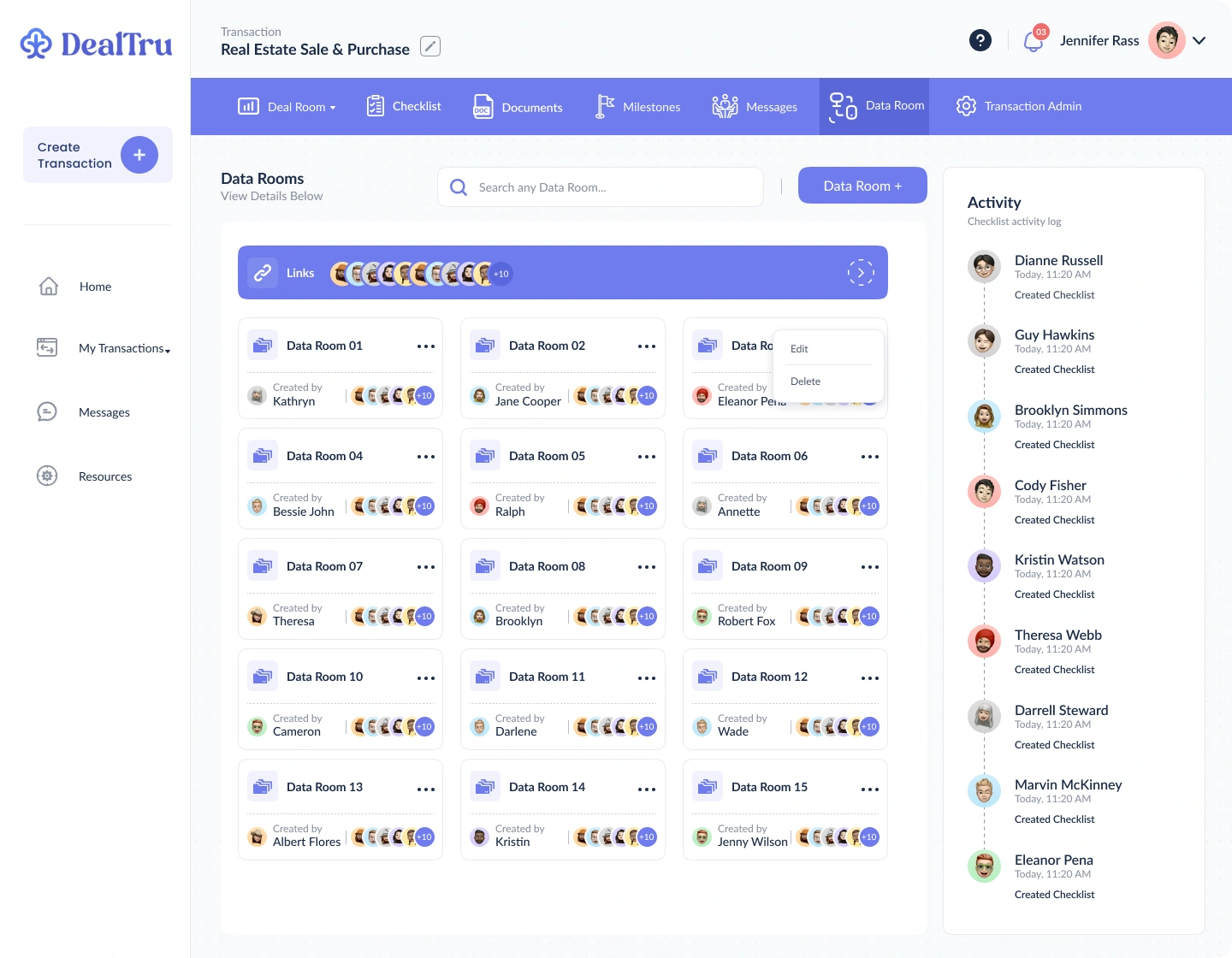
Versions, exhibits, visibility, and activity explain what surrounds a file. Expandable rows let that detail appear when it is needed.
The detail view groups notes, versions, and exhibits around the document.
Named rooms and visible membership establish the collaboration context.
06 / People & decisions
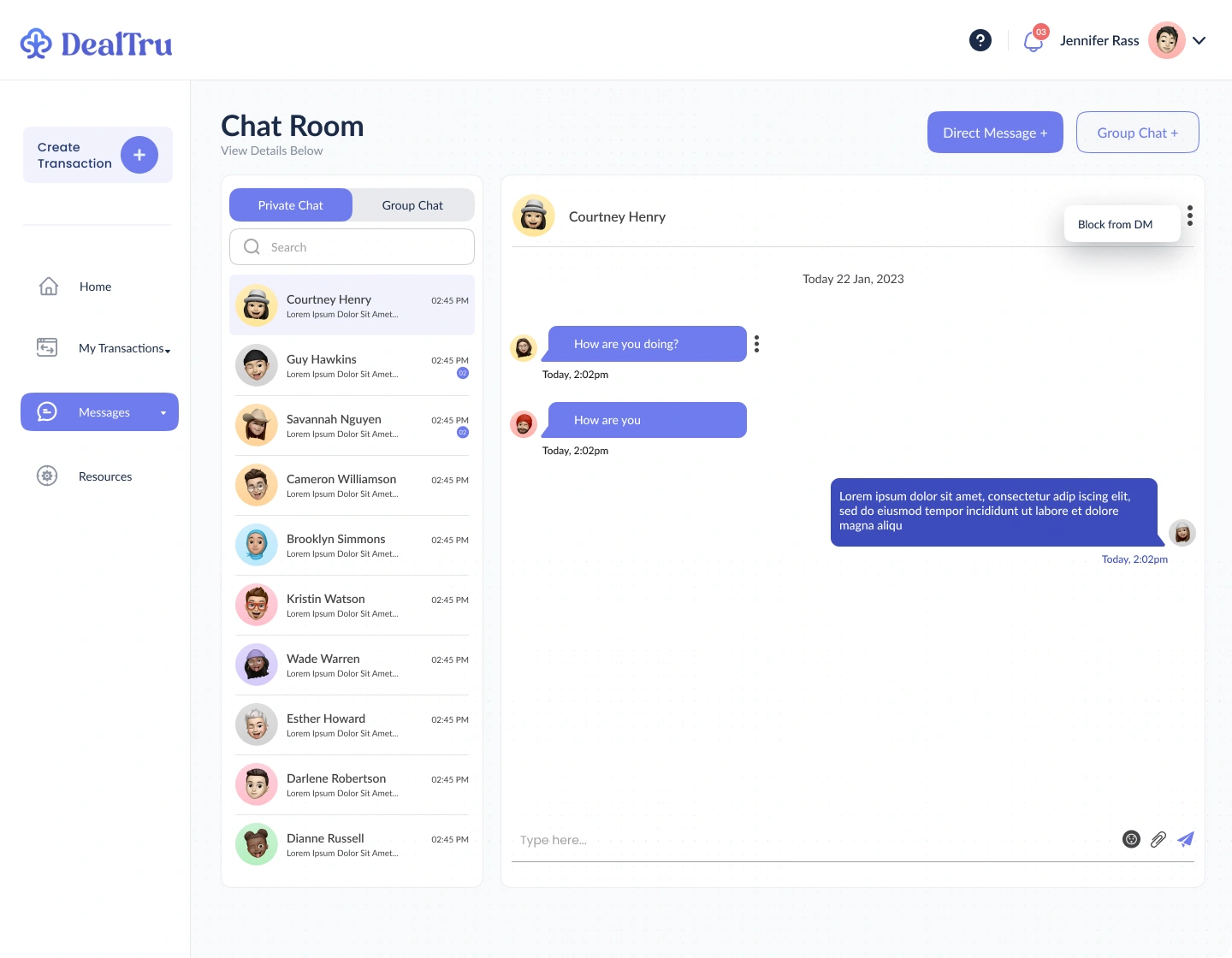
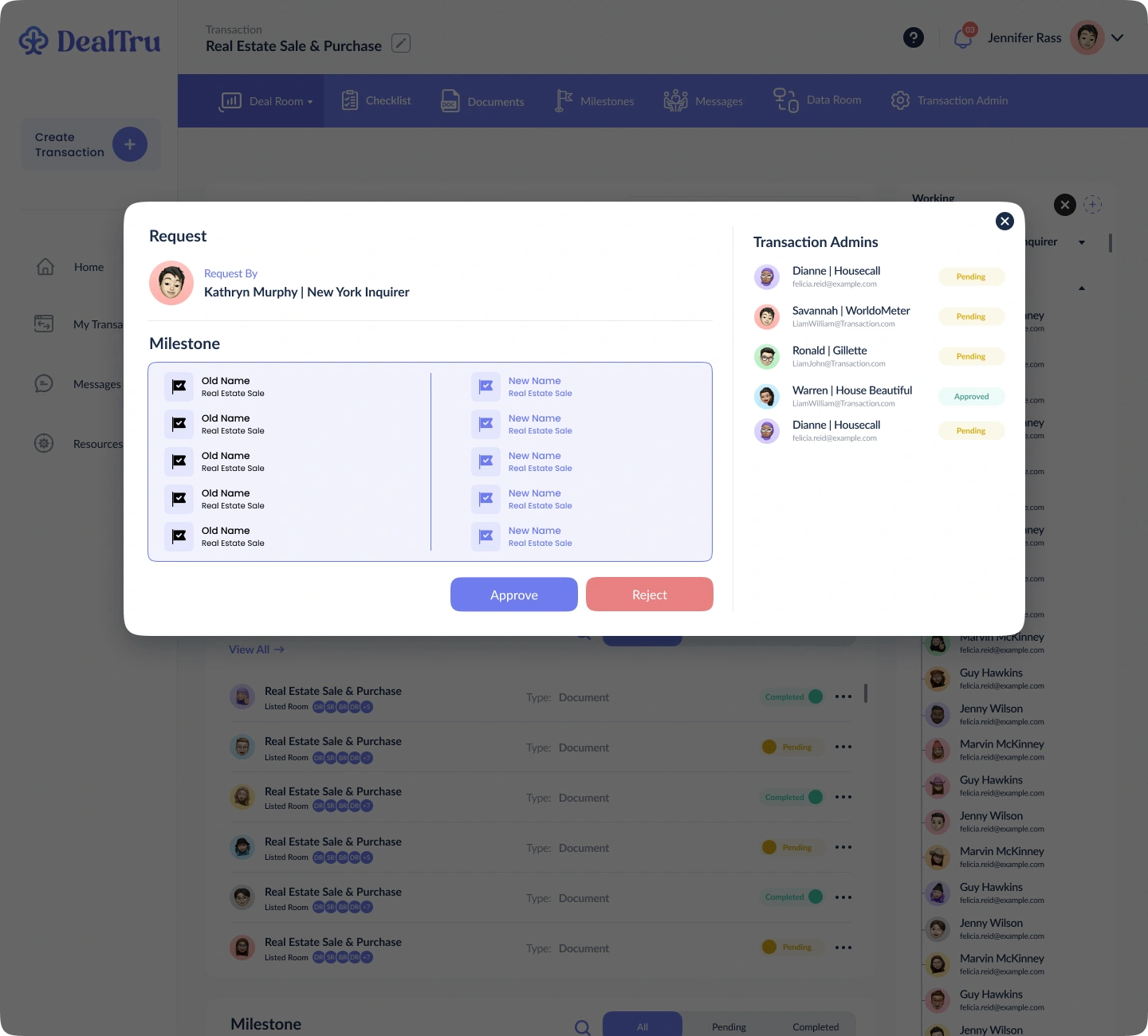
Private and group conversations share the product’s navigation and visual language. Separate review states make requests explicit, showing the proposed change alongside the people responsible for approving it.
Conversation lists and message threads distinguish discovery from discussion.
Comparison, reviewer status, and separate approval actions frame the request.
The design thread
Across the exported screens, a consistent sidebar, transaction navigation, activity column, and violet action language provide continuity. The detail changes; the surrounding structure stays recognizable.
This case study analyzes the supplied design exports. Names, counts, and content inside the screens are sample UI data. Research findings, usability results, and business impact are not claimed.
Explore the Figma design ↗YOUR NEXT PRODUCT
I design interfaces that make complex workflows easier to understand. Let’s talk about the product you’re building.
Let’s work together