
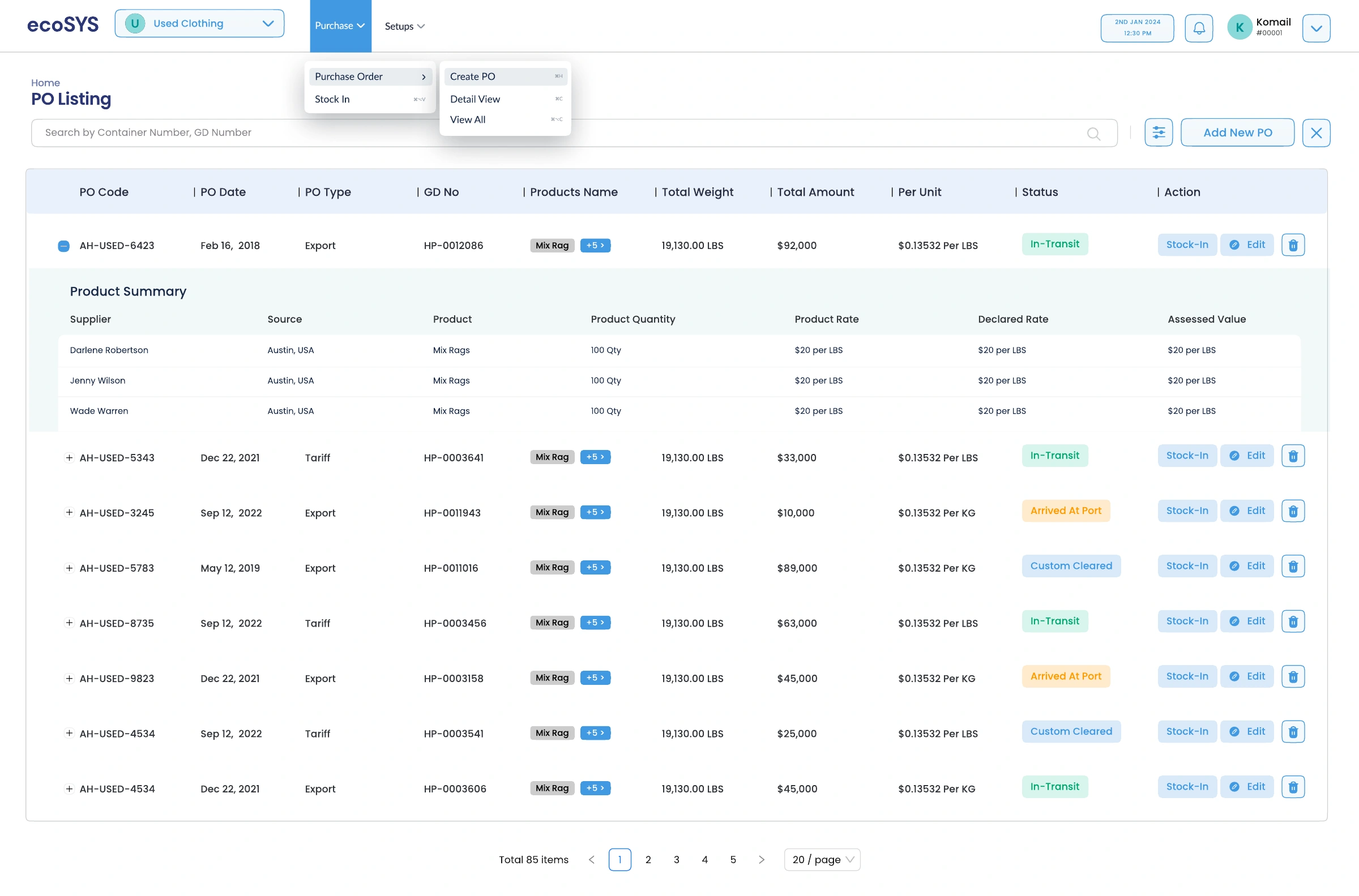
Find the right record.
A consistent table structure brings codes, dates, and status together. Filters narrow the list before a user opens the full order.

ECOSYS / ENTERPRISE PRODUCT DESIGN
From the purchase order to the final shipment.
Designing clarity for work that keeps moving.
01 / Understanding the product
Ecosys is an enterprise interface for used-clothing operations. The designs span purchasing, stock intake, quality management, production planning, packing, transfers, shipments, and reports.
The central design challenge is continuity: each step needs its own controls, while the material, location, quantity, and status must remain understandable as work passes between teams.
The business reasoning
Purchasing, receiving, production, packing, and dispatch each need different controls, but depend on shared material, quantity, and location context. The challenge was to preserve that context and make mismatches recognizable during repeated operational tasks.
An overlooked quantity or weight discrepancy can carry into the next stage and create reconciliation work. Teams need to see both what was expected and what actually happened before they continue, especially during scanning and packing.
I placed expected and actual quantities beside the active task, separated weight differences into a prominent comparison panel, and kept packing exceptions in the same workspace. Mobile scan confirmation retains product context, while shipment rows show remaining quantities alongside barcode entry.
The supplied states make completion, exceptions, and remaining work distinguishable through counts, labels, and visual emphasis. Operators can inspect the discrepancy alongside the item instead of interpreting a status in isolation. The design supports checking before handoff; reductions in errors, rework, or processing time still require operational validation.
Dense information, repeated actions, and visible exceptions.
Detailed desktop workspaces and focused mobile workflows.
Workflow screens, responsive layouts, and interaction states.
Order details and receiving context
02Quality, planning, and material issue
03Barcode grouping and weight checks
04Shipment reconciliation and reporting
02 / Purchasing & receiving
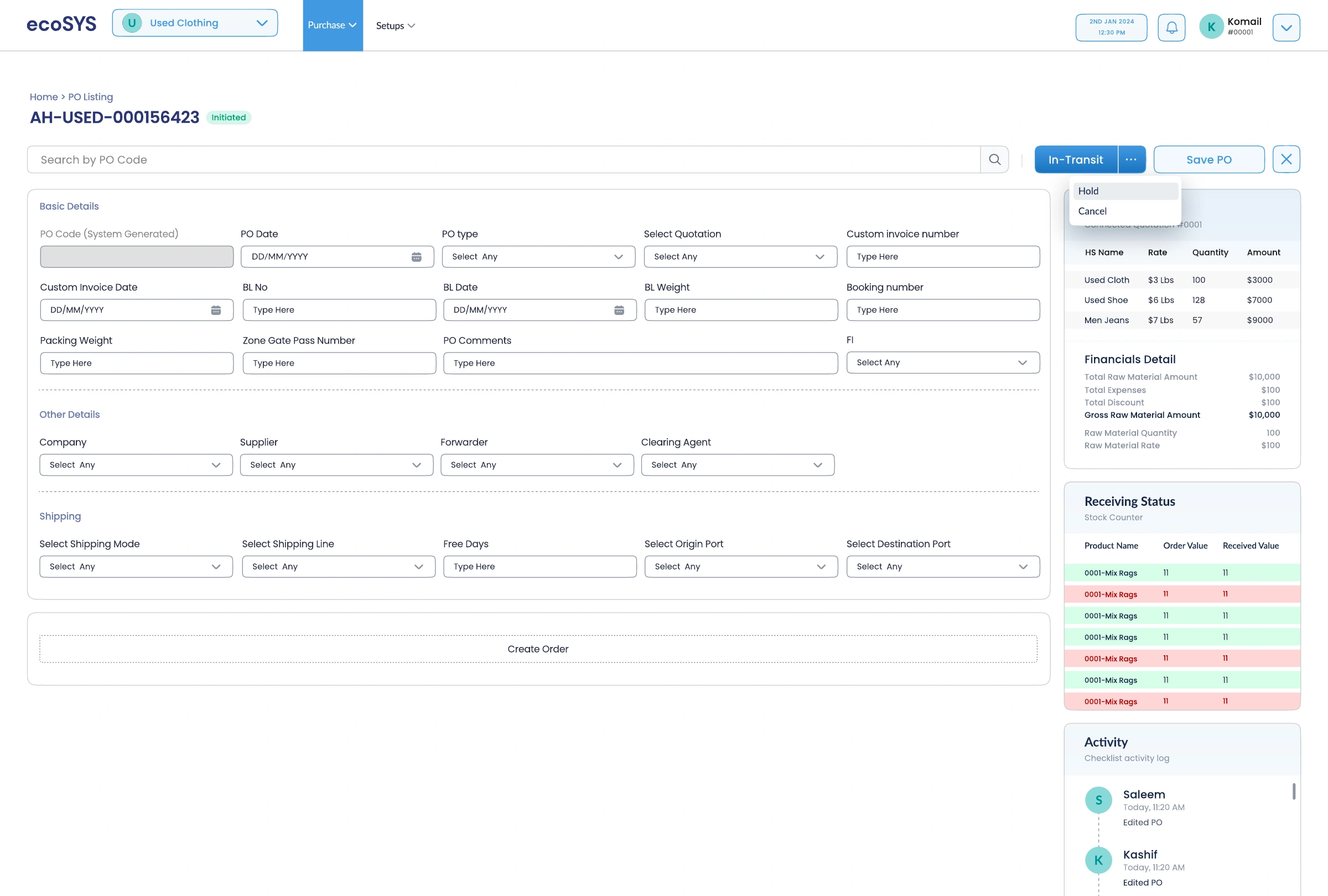
The purchase-order workspace groups commercial details, shipping information, and product lines. The adjacent summary brings financial detail, receiving status, and activity into the same context.
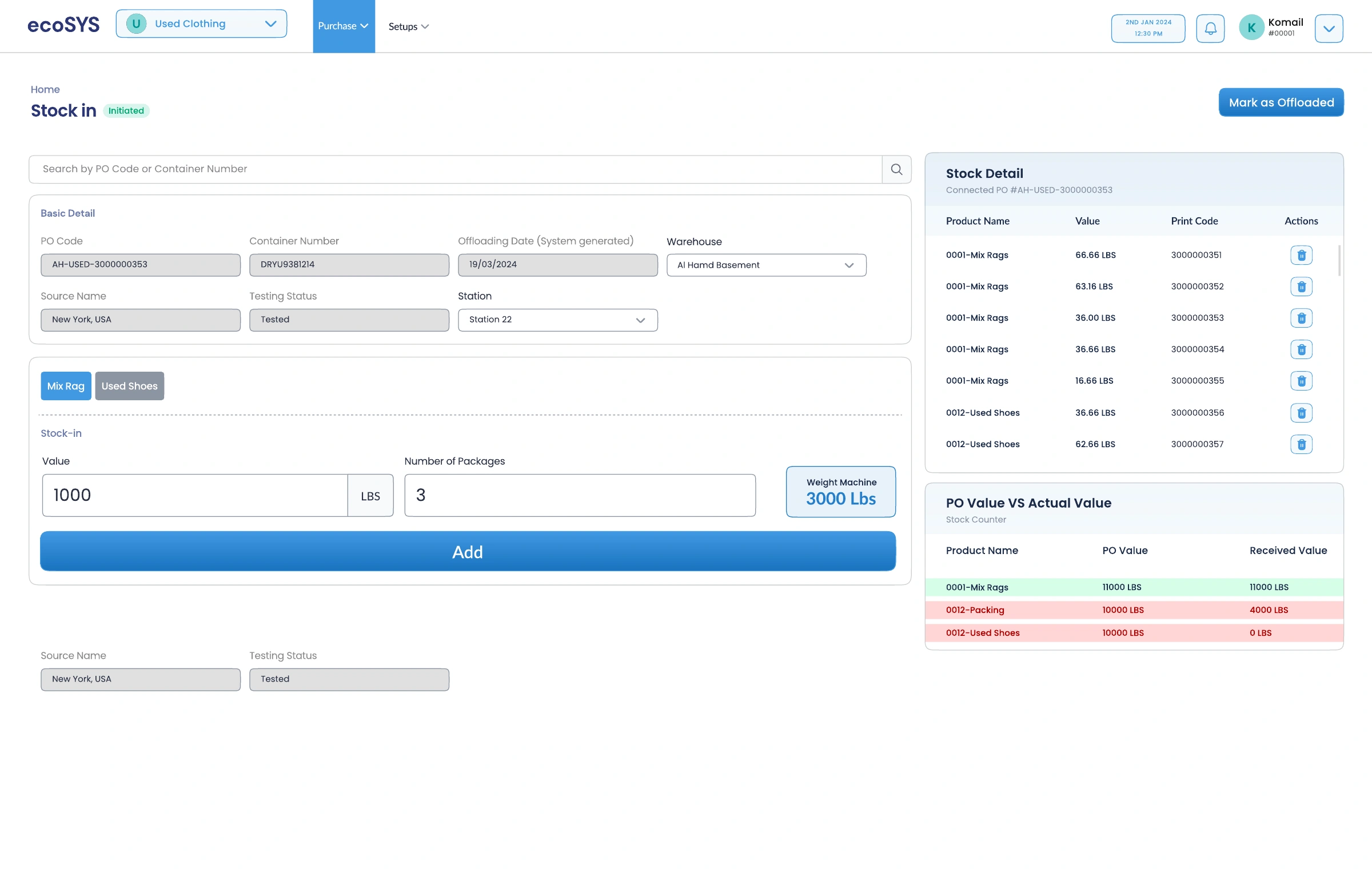
That relationship carries into stock intake: the expected purchase quantity can be compared with what has actually arrived.
From a record to a working view.
The main form provides space for input. The summary column keeps related totals and status nearby.
A consistent table structure brings codes, dates, and status together. Filters narrow the list before a user opens the full order.
Stock detail and the purchase-versus-actual comparison sit beside intake controls, connecting each addition to the receiving picture.
03 / Preparing production
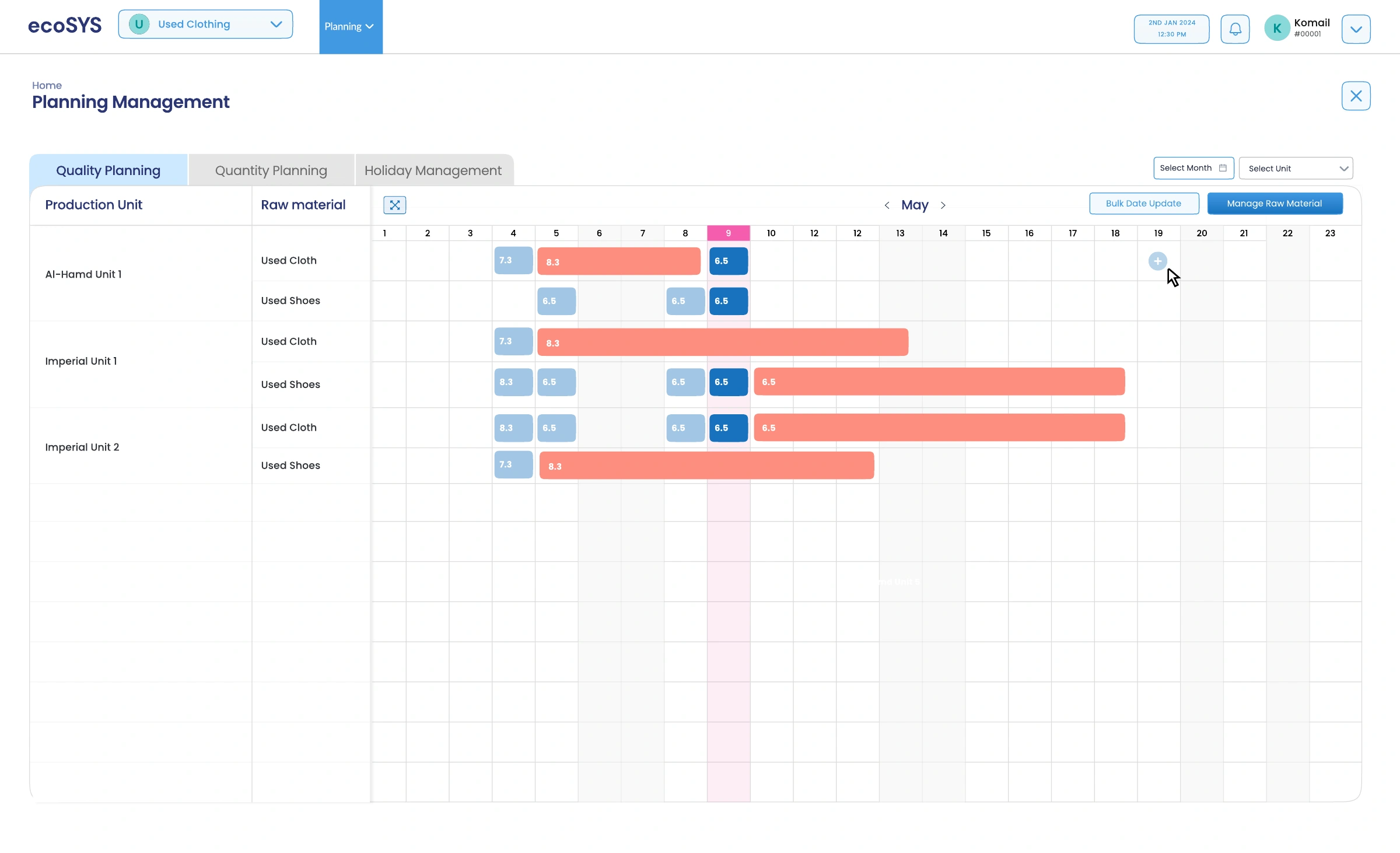
Planning uses a calendar matrix to relate raw materials, production units, and dates. Quality planning, quantity planning, and holidays are separated into focused views.
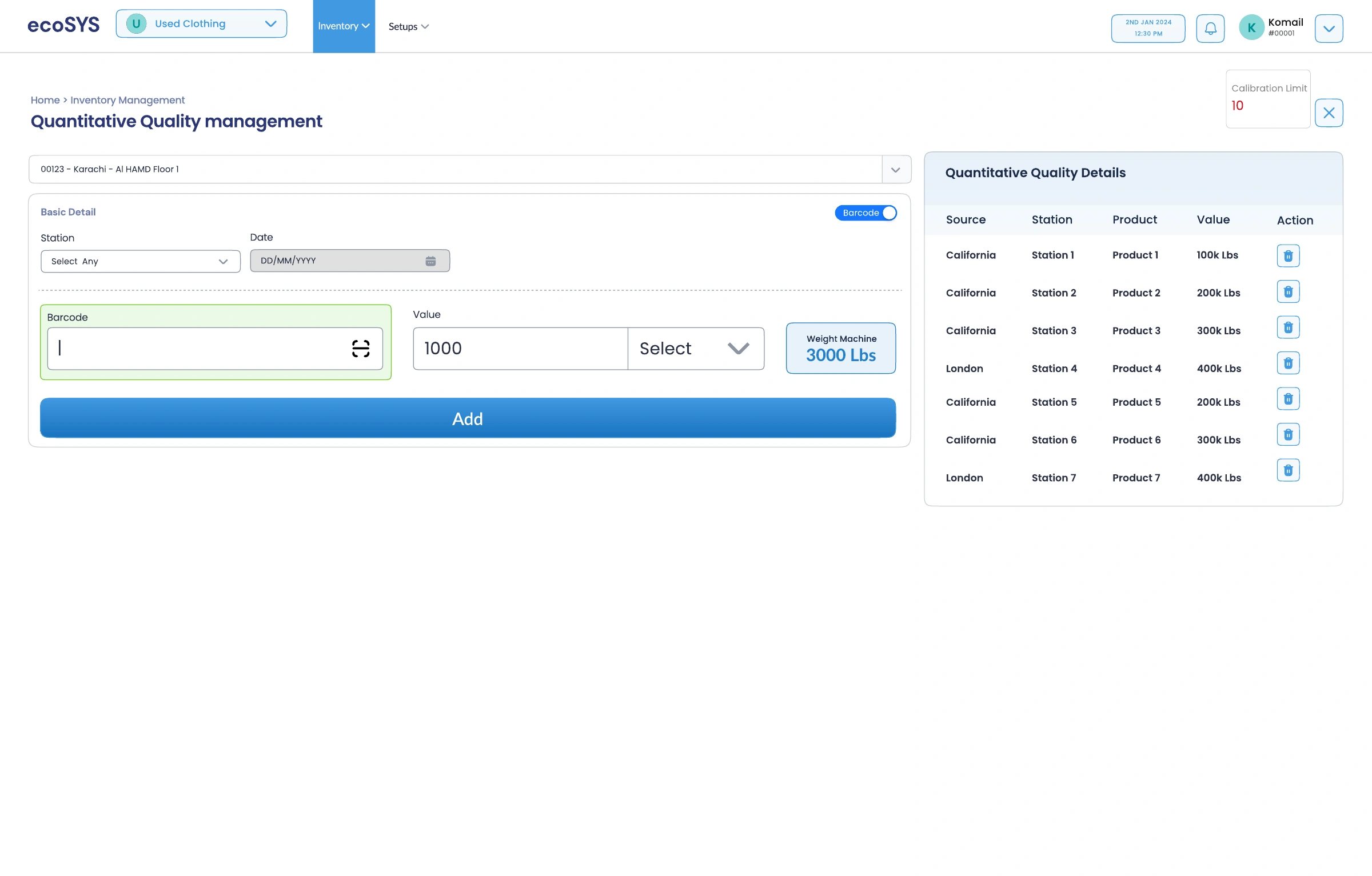
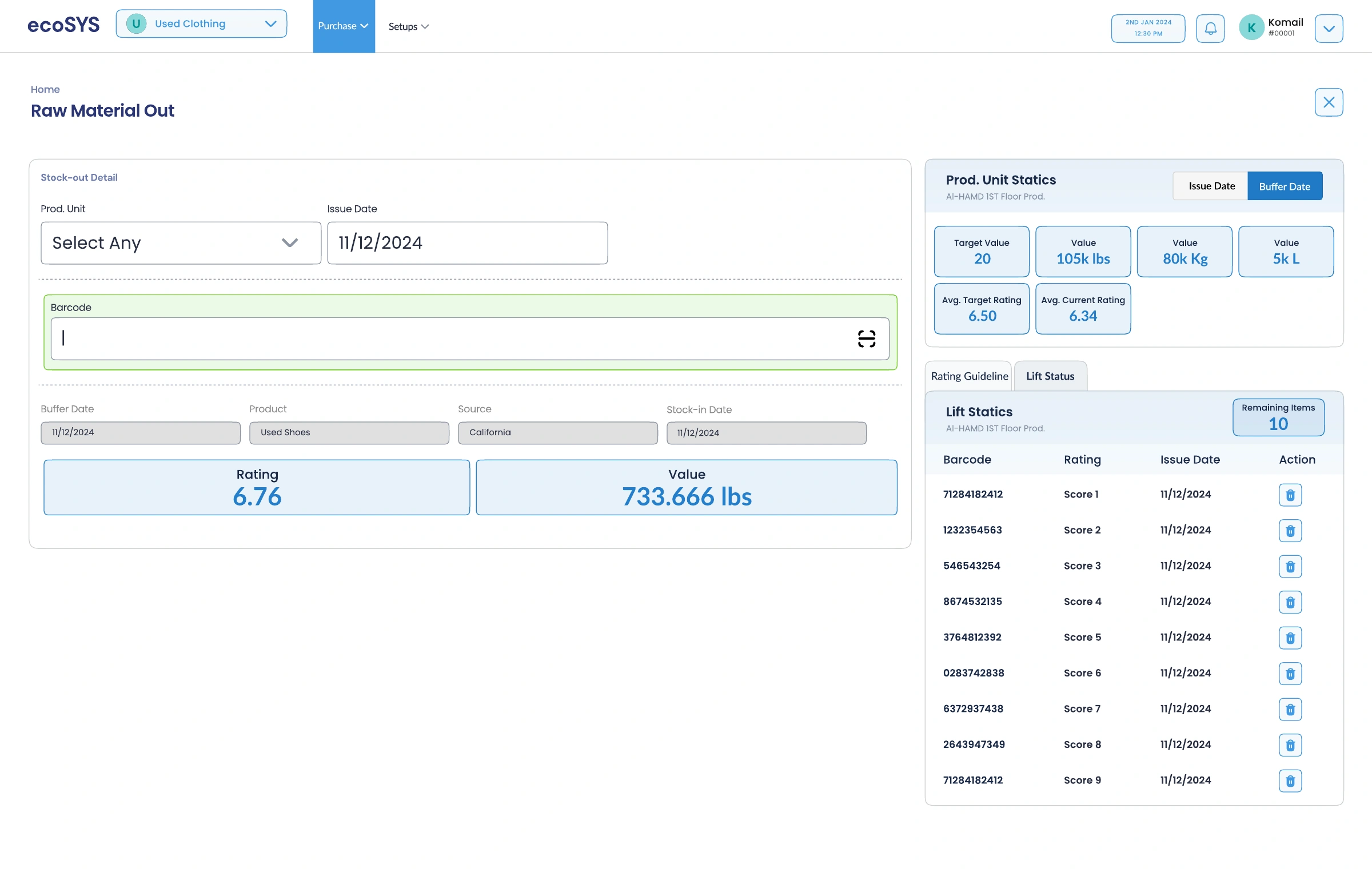
The material-issue and quality screens then move from the schedule to the action: identify the station, scan the barcode, and review the associated value.
The planning matrix aligns these dimensions in one view, with month and unit filters keeping the scope explicit.
Barcode input, station, date, and measurement are grouped around one addition. Recorded entries appear in a separate detail panel.
Material issue retains the product, source, rating, and value. Production-unit statistics and lift details provide an adjacent reference.
04 / Interaction states
Operational UI has to explain what happened after an action. Explore four supplied design states that make counts, exceptions, and weight differences visible.
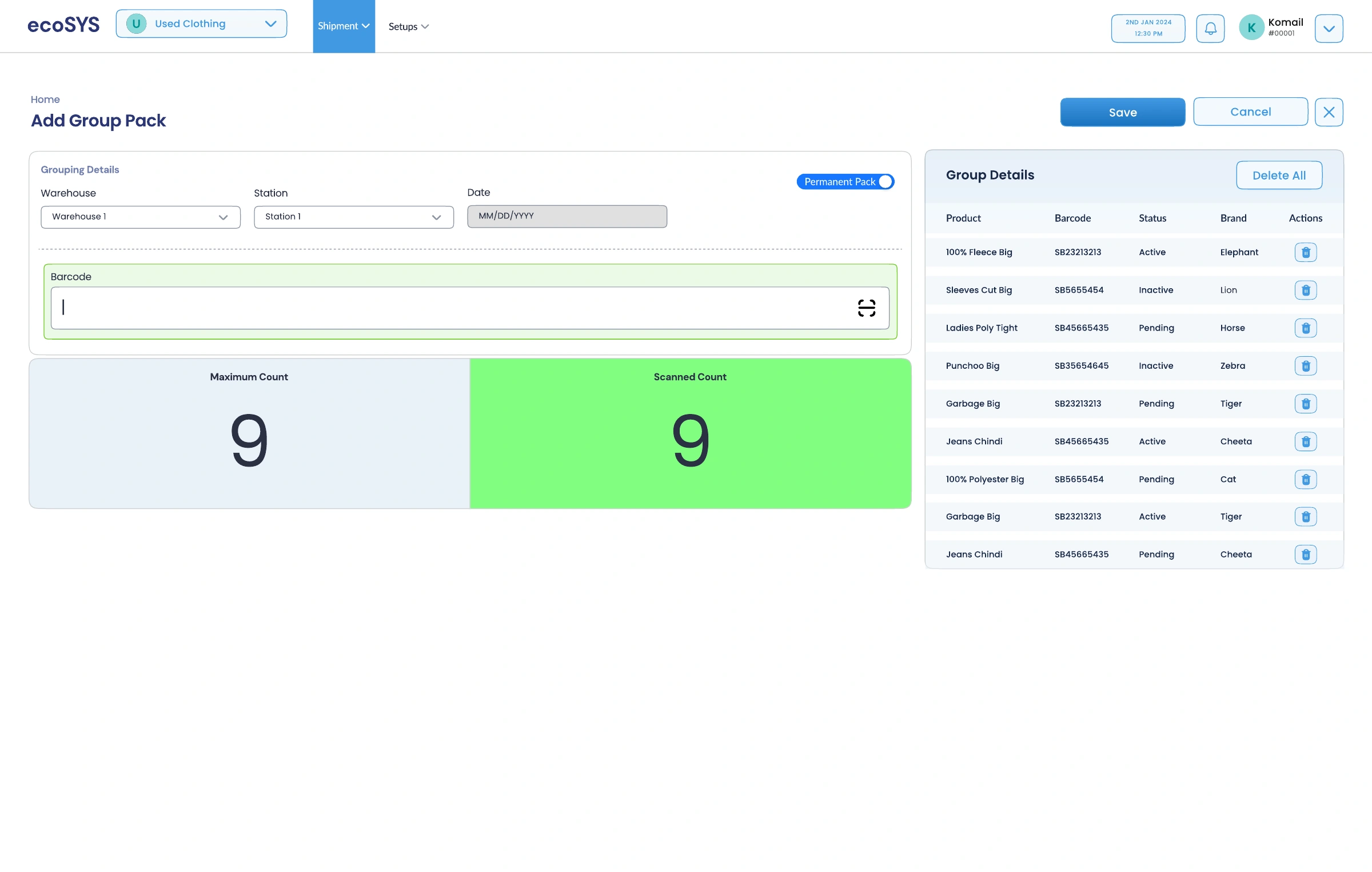
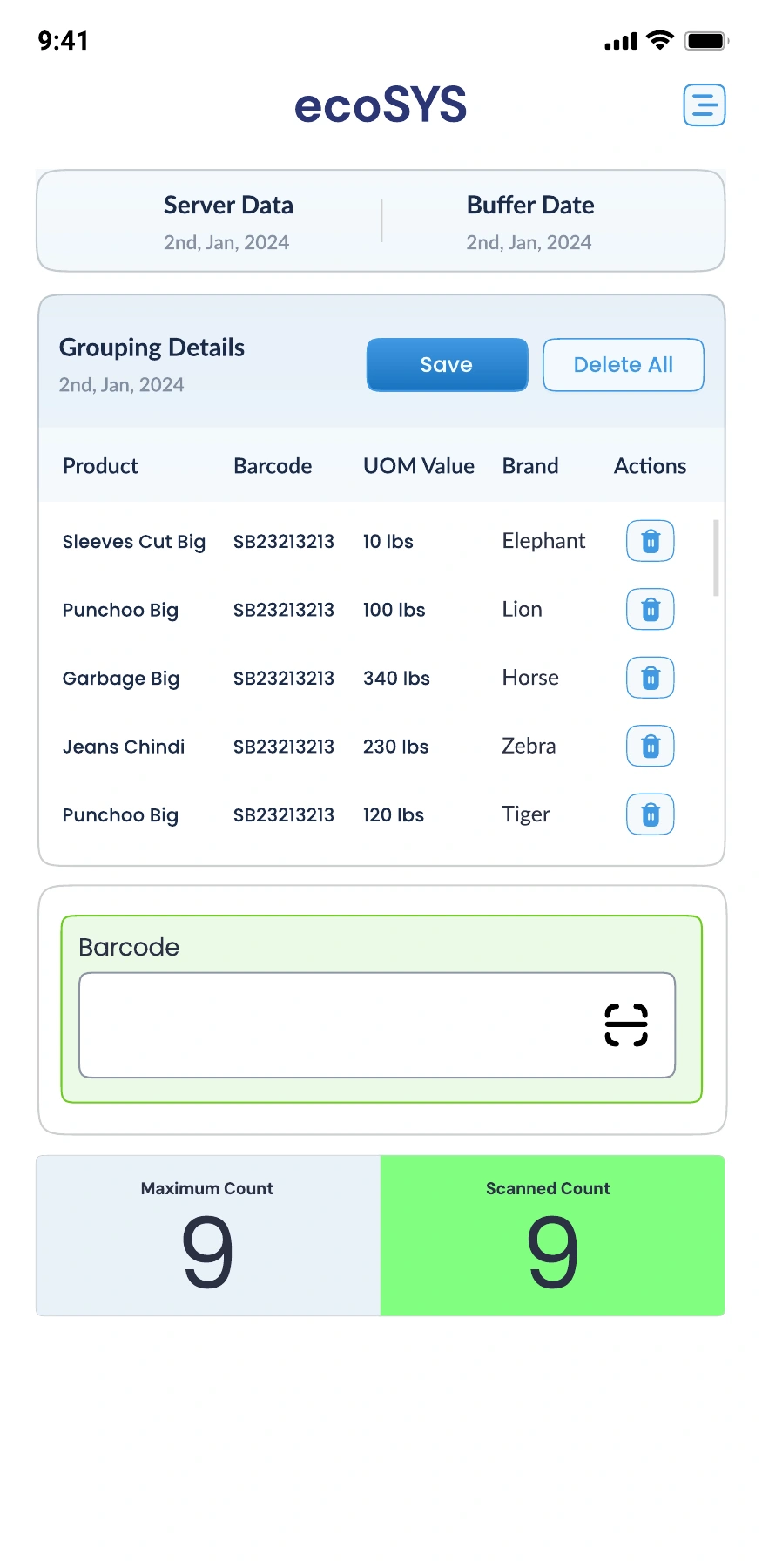
The maximum count and scanned count sit side by side. The completed state reinforces the matching count with a green surface, while the scanned products remain visible alongside it.
Design-state comparison · original UI screens05 / On the warehouse floor
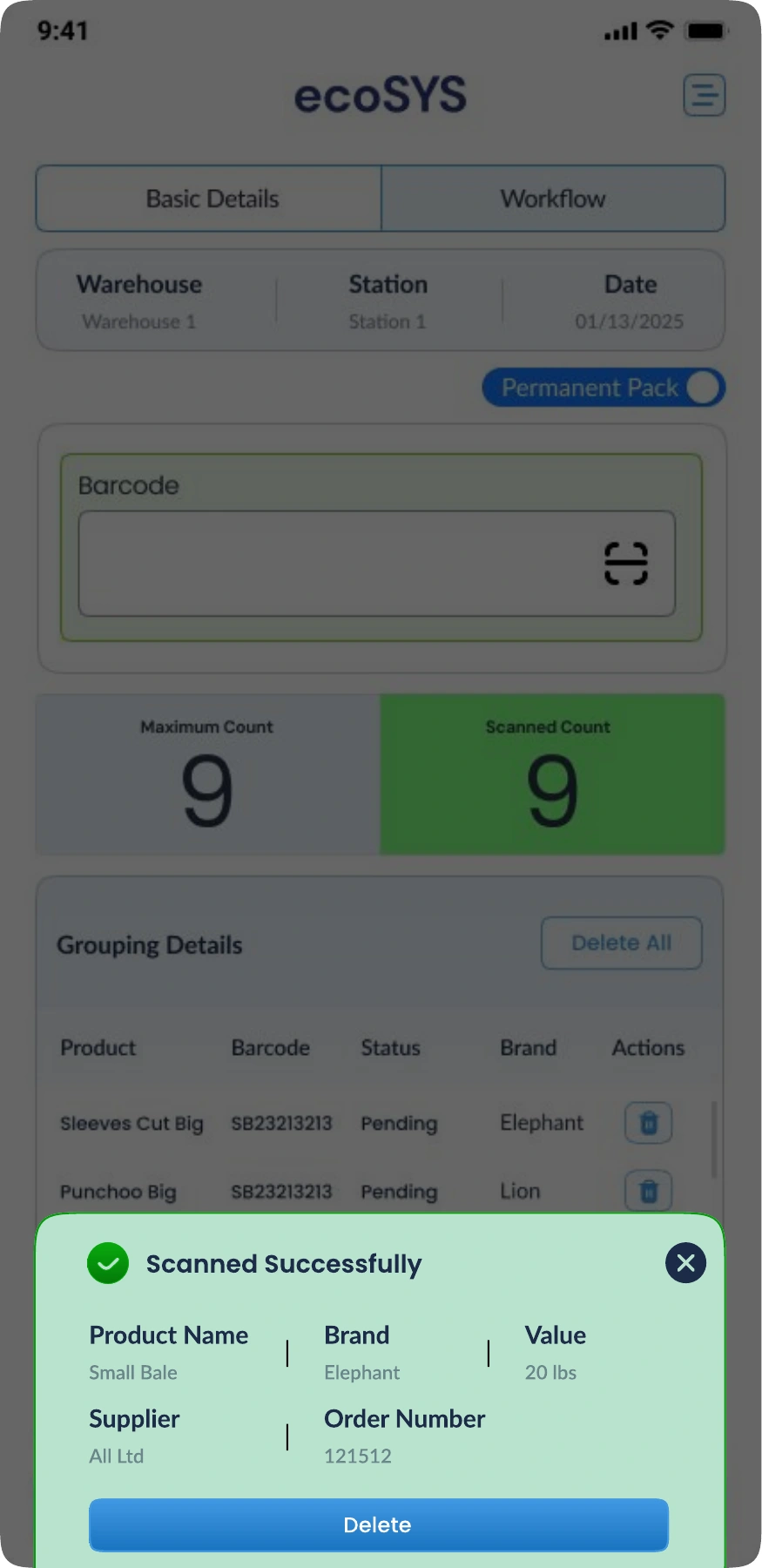
The mobile designs keep the barcode field, current group, and scan feedback in a narrow layout. Basic details and workflow views separate setup from the repeated task.
A successful scan is acknowledged with product information, giving the operator a chance to confirm what was added before continuing.

One visual language, adapted to a different working context.
06 / Dispatch & reconciliation
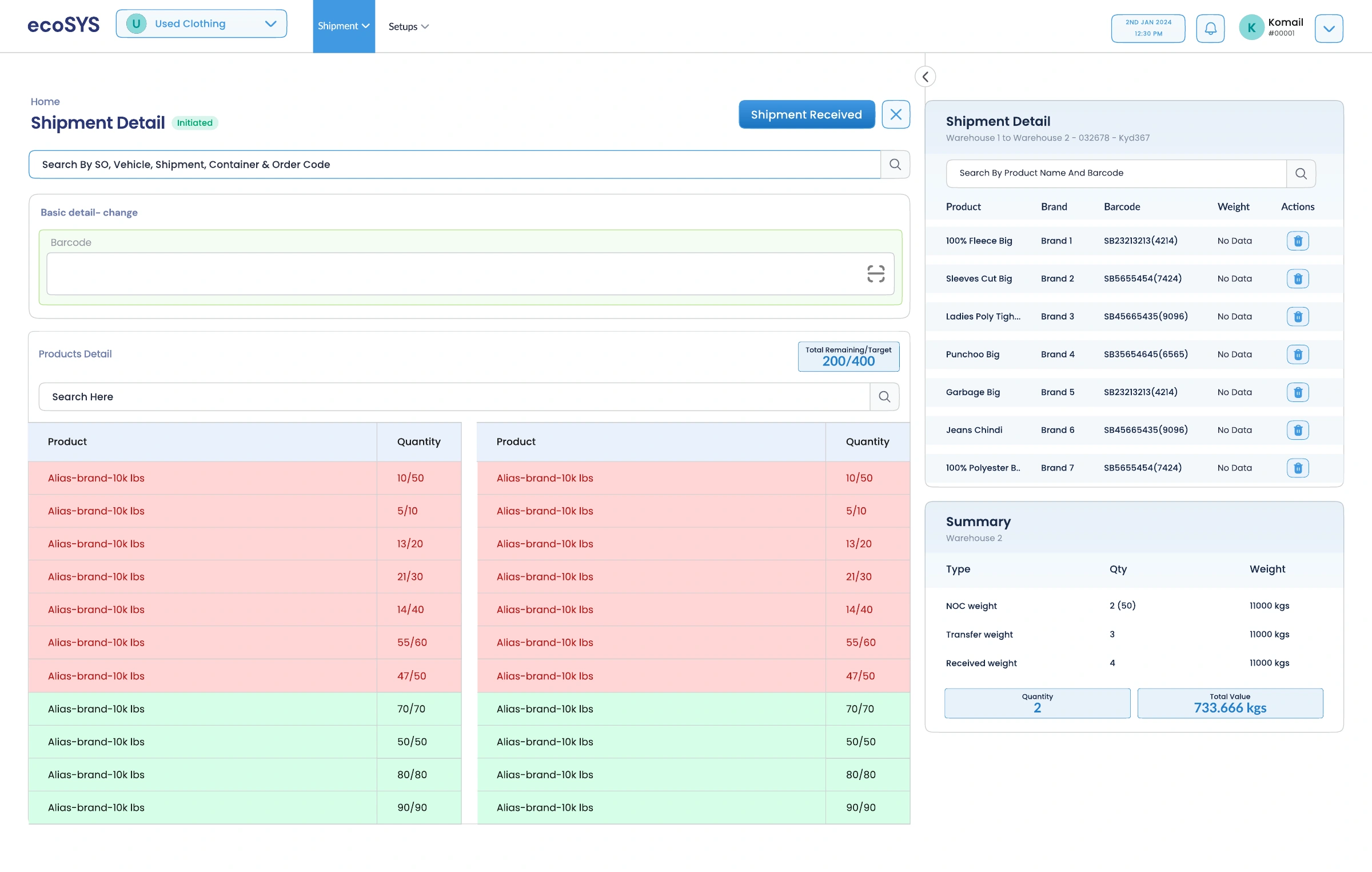
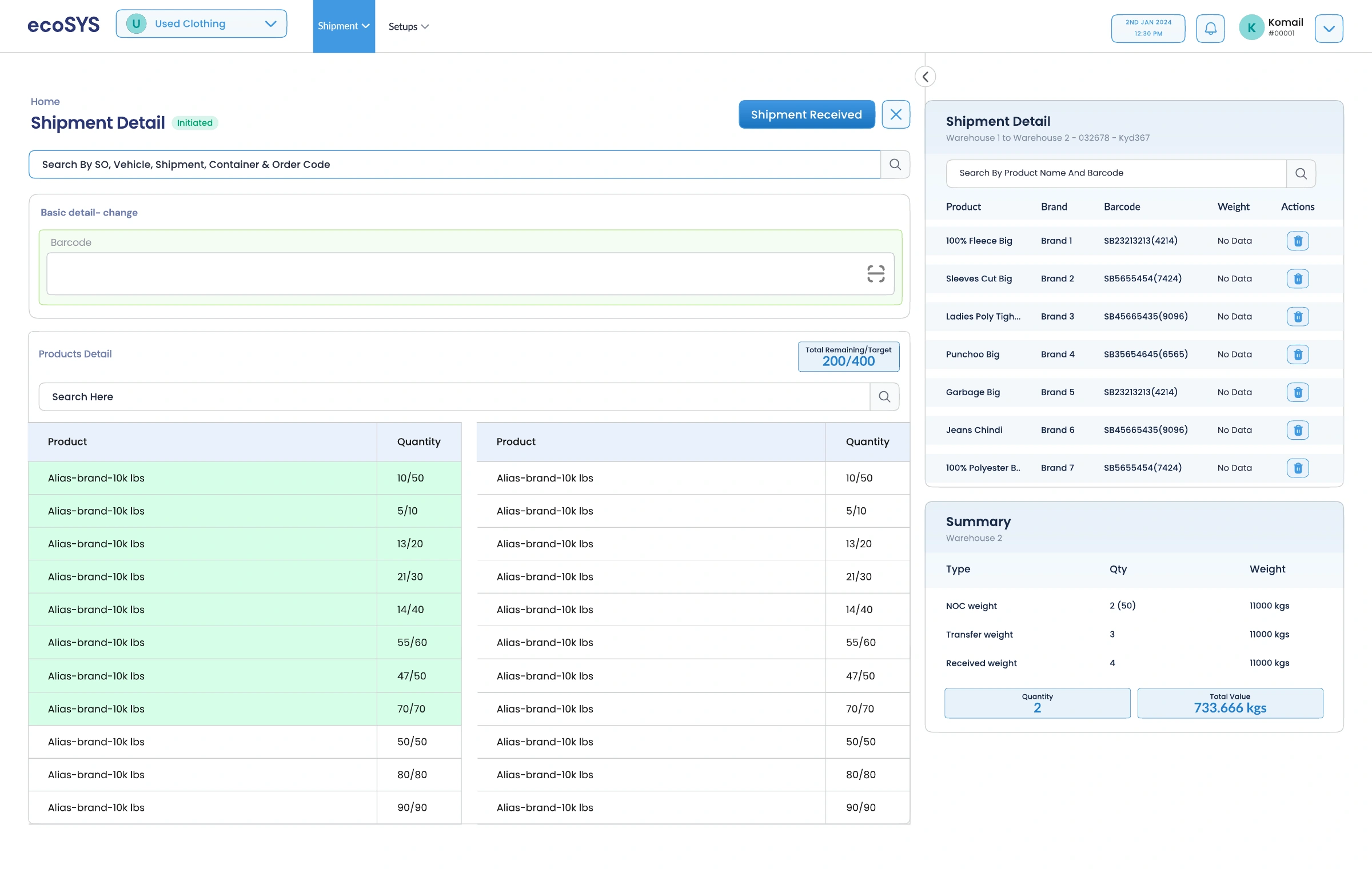
Shipment detail pairs barcode entry with product quantities and a shipment summary. Rows distinguish quantities still outstanding from quantities that match their targets.
The side panel retains the product, barcode, weight, and destination context while the operator works through the list.
Numeric ratios give the status meaning. Color reinforces that comparison across the product rows.
The updated state preserves the same arrangement as quantities change, helping users compare progress without relearning the view.
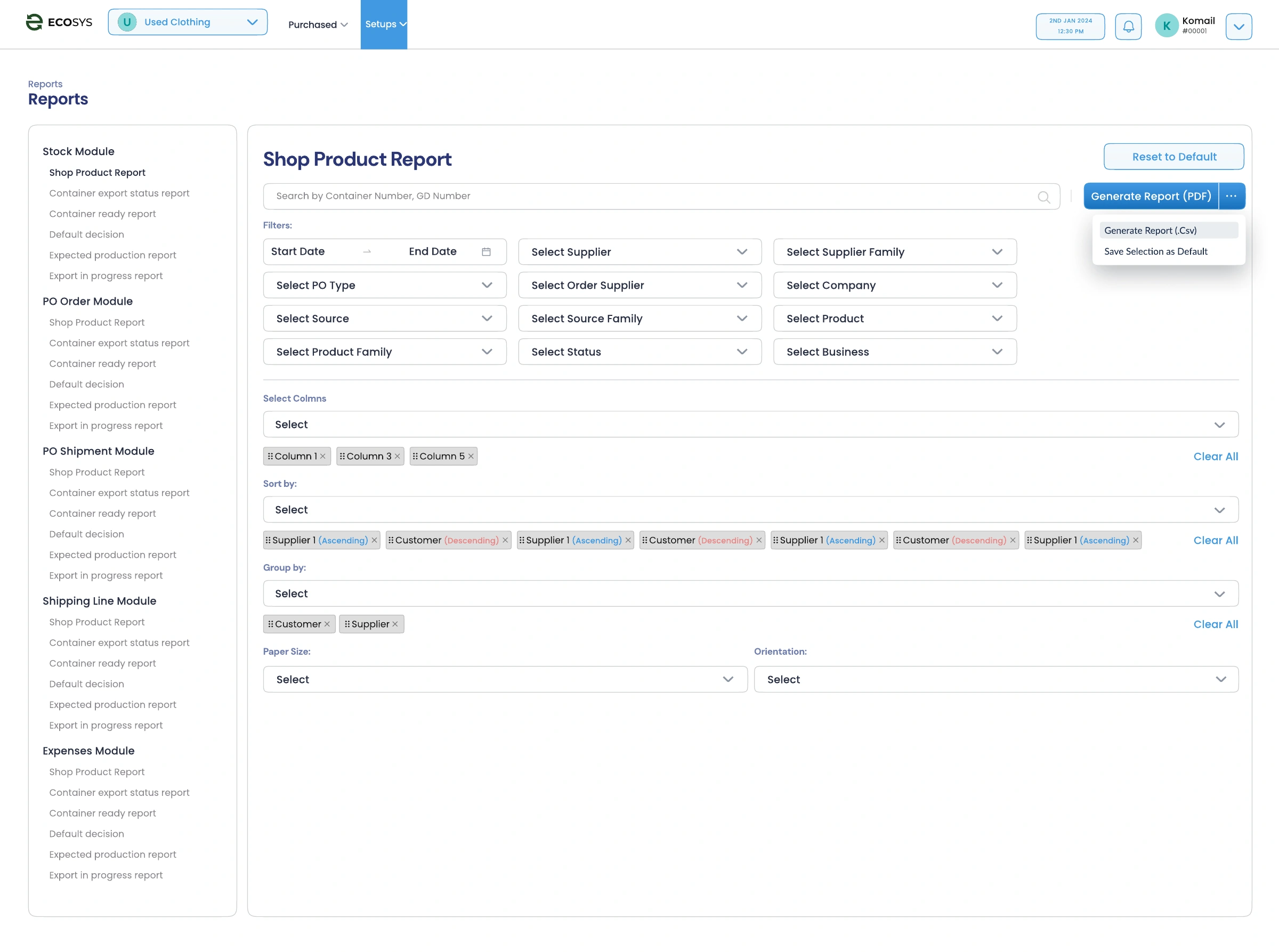
Report controls expose filters, selected columns, sorting, grouping, and PDF or CSV output. Users can shape the view around the question they need to answer.
07 / What holds it together
The recurring patterns give this broad product its continuity.
Business selection, warehouses, stations, and production units locate the action within the operation.
Forms share space with totals, activity, and item details, keeping the result close to the input.
The administration designs distinguish permissions for businesses, companies, production units, warehouses, and stations.
Counts, status labels, comparison values, and confirmations recur across desktop and mobile.
About this case study
Presented from the supplied Ecosys UI designs. The export includes alternate states, mobile layouts, and supporting components; the selections here follow the core operational journey.
Interface records and figures are sample design content. Measured usability or business outcomes are not available for this presentation.
View the Figma source ↗HAVE A COMPLEX PRODUCT?
I help teams shape complex workflows into focused digital experiences.
Discuss your product